8 posts tagged with "News"

XiaoyeApp official news and release announcements

View All Tags

Xiaoye Remote 3.0.5: HTTP Sharing - A Simpler Way to Shre Files

· 4 min read
Author: XiaoyeApp

We are pleased to announce the official release of Xiaoye Remote 3.0.5! This update brings a highly anticipated core feature – HTTP Sharing – making file sharing between different devices simpler and more flexible than ever before.

What is HTTP Sharing?​

HTTP Sharing is a one-click file sharing feature provided by Xiaoye Remote. Once you start the service, you can add files to the mapping list, and others can easily access your shared files through the HTTP links you generate.

Wide range of applicable scenarios: Whether on a local network at home or in the office, through the virtual subnet built by Xiaoye Remote, or even in broader network environments, you can quickly achieve file sharing.
Xiaoye Remote 3.0.1 Released: Easily Build Network Groups Across Accounts

· 3 min read
Author: XiaoyeApp

We are excited to announce that Xiaoye Remote 3.0.1 is officially released! This update brings a major new feature — Network Group — making cross-account device connectivity easier than ever before.


🚀 Core Highlight: Cross-Account Network Groups​

In the past, when using remote control software, devices under the same account could connect easily. However, once different accounts were involved, complex configurations, relay servers, or even third-party tools were often required.

Now, Xiaoye Remote Control 3.0.1 completely solves this problem.

A Network Group is a virtual device cluster that allows you to add devices from multiple different accounts into the same logical group, enabling direct cross-account connectivity with no additional configuration required.

Xiaoye Remote 2.0.82 Released: Two Devices Permanently Free

· 3 min read
Author: XiaoyeApp

Category: News Published: 3/18/2026

Tired of complicated network configurations for remote work? Or have you been trying out various solutions in search of a remote control tool that is both safe and free? Today, the new version of Xiaoye Remote Control might just be the answer you're looking for.

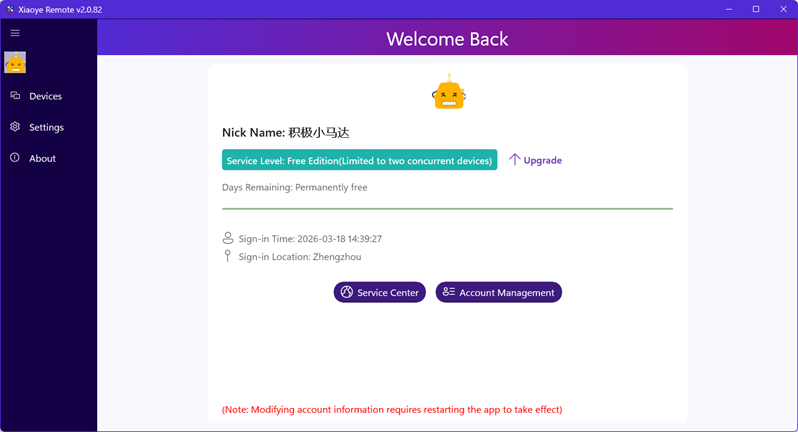
We are excited to announce the official release of Xiaoye Remote Control version 2.0.82! This update introduces an incredibly user-friendly policy: Two devices, permanently free. Whether you're providing technical support for a family computer or need seamless switching between two office locations, this free tier covers the daily needs of most individual users.

Like Managing Browser Tabs? Xiaoye Remote Makes It Happen!

· 4 min read
Author: XiaoyeApp

No more repeatedly entering IDs and passwords—manage multiple remote devices as smoothly as switching Chrome tabs

Have you ever faced these frustrations?

  • Having to enter those long, unmemorable numeric IDs and passwords for every remote connection
  • Opening five or six remote windows, only to have them pile up in your taskbar, making it a nightmare to find the one you need
  • Craving a smooth 4K experience, but ending up with a slideshow and a clipboard that won't sync

If you frequently switch between multiple Windows devices, the product introduced today might just solve your problems.